
HotSwap
A downloadable tool for Windows
HotSwap
Automatic OBS source switching — so you never have to touch Game Capture mid-stream again.
Press F9 once when a game pops up. That’s basically it. HotSwap remembers the game forever and follows you between titles automatically.
What is HotSwap?
HotSwap is a lightweight Windows app that makes streaming or recording multiple games seamless. Instead of pausing your stream to fiddle with OBS source settings every time you switch games, HotSwap handles it all automatically.
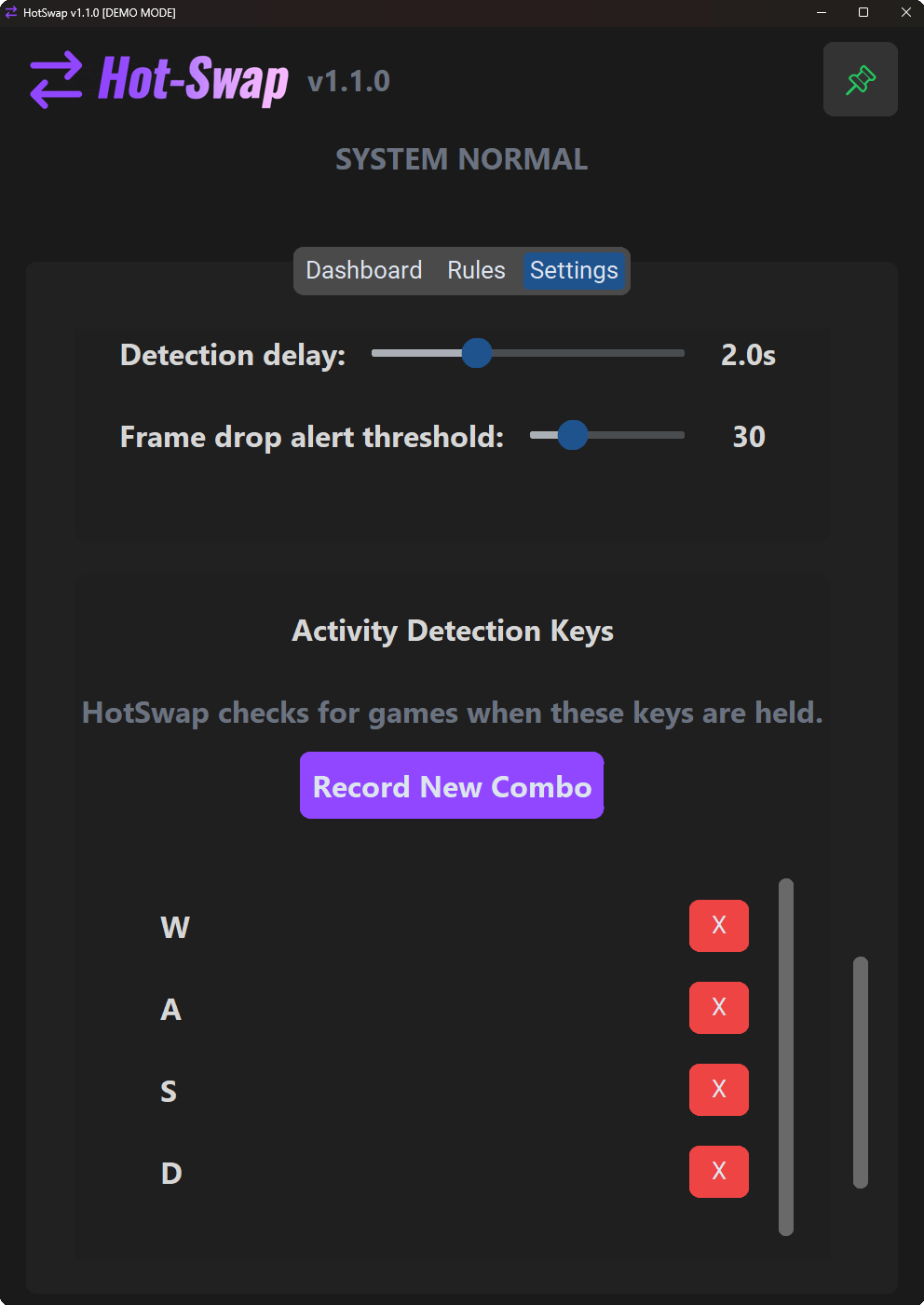
Here's how it works in depth: HotSwap runs quietly in the background, connected to your OBS via its built-in WebSocket server. It monitors your active window and detects when you're playing a game based on real keyboard activity (like holding WASD or other customizable keys). If it's a new game not on your whitelist, it pops up an on-screen overlay and a suggestion in the app's dashboard — complete with audio feedback so you know even if you're fullscreened. Just hit F9 (or your custom hotkey) while in-game, andHotSwap adds it to your whitelist instantly.
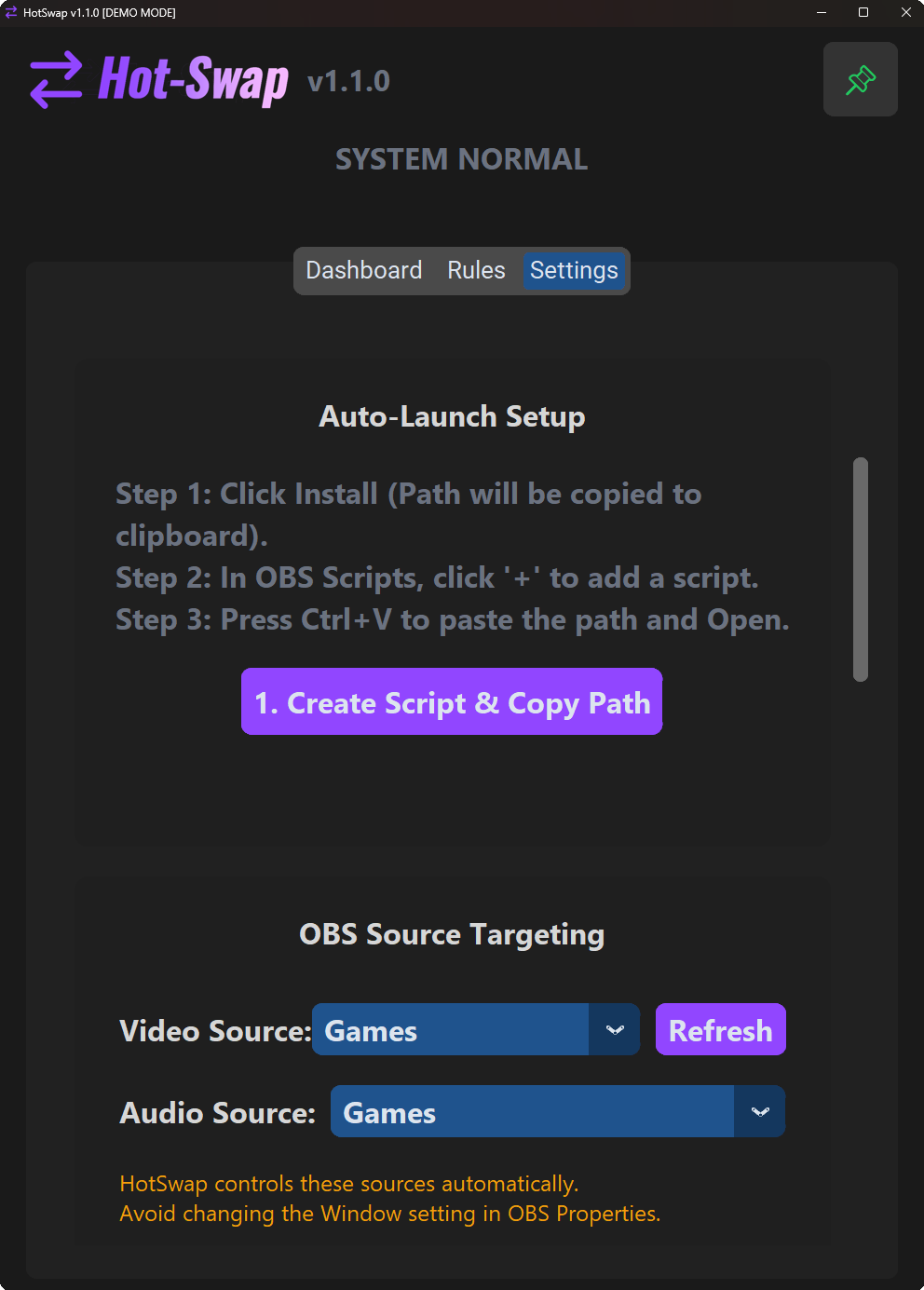
From that point on, whenever you alt-tab or launch that game, HotSwap immediately updates your selected OBS video source (Game Capture or Window Capture) and audio source (Application Audio Capture) to target the new window. It even handles the technical stuff like forcing OBS to re-hook the capture quickly, auto-fitting the source to your canvas to avoid black bars or stretching, and optionally starting a recording session right away.
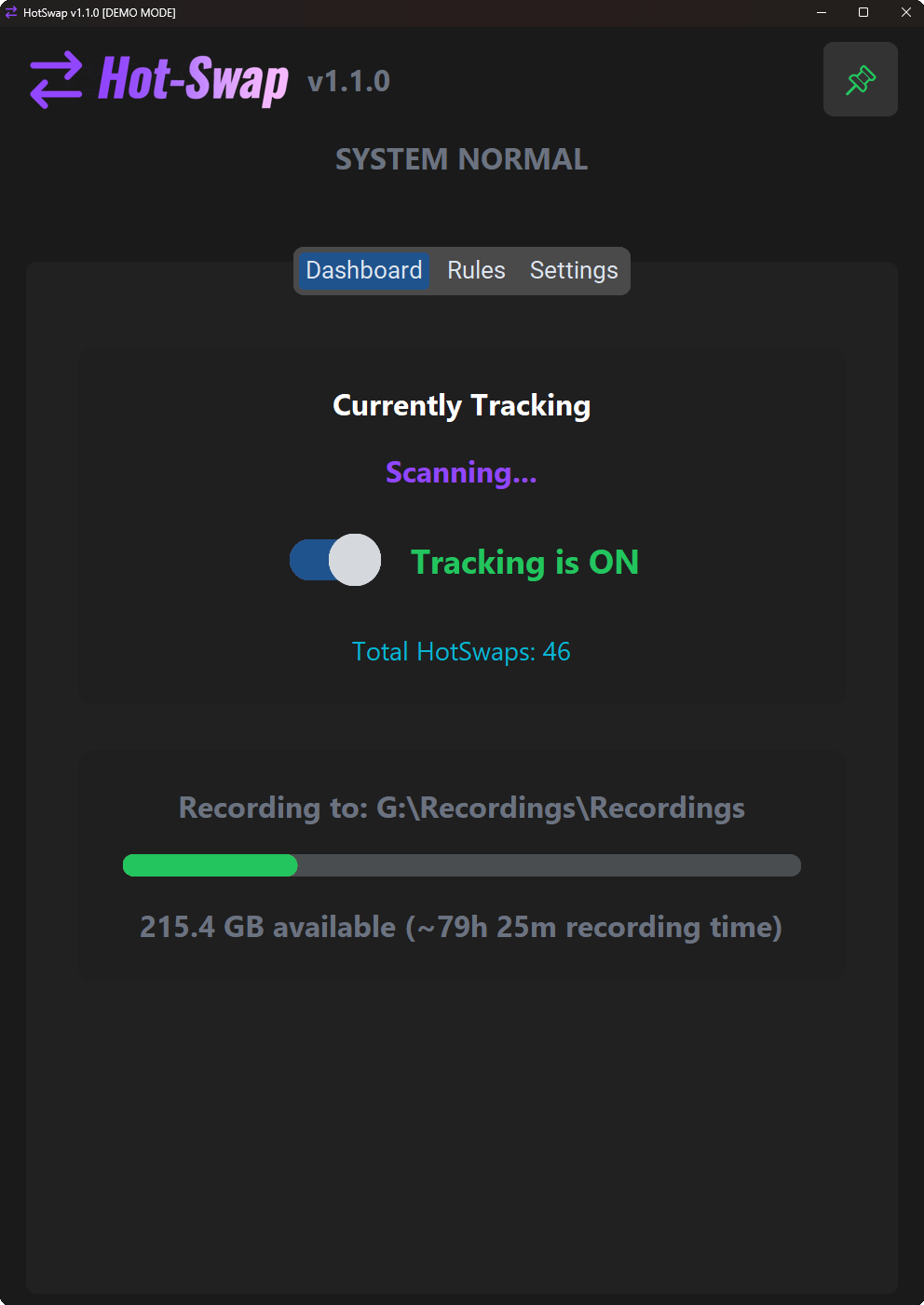
But it's not just about switching — HotSwap keeps an eye on performance too. It'll alert you with on-screen overlays if OBS starts dropping frames (maybe your bitrate's too high or CPU's overloaded), or if a game's aspect ratio doesn't match your canvas (hello, ultrawide mismatches). You get customizable audio cues for detections and switches, hotkeys for everything, and even a storage monitor that estimates how much recording time you have left on your drive.
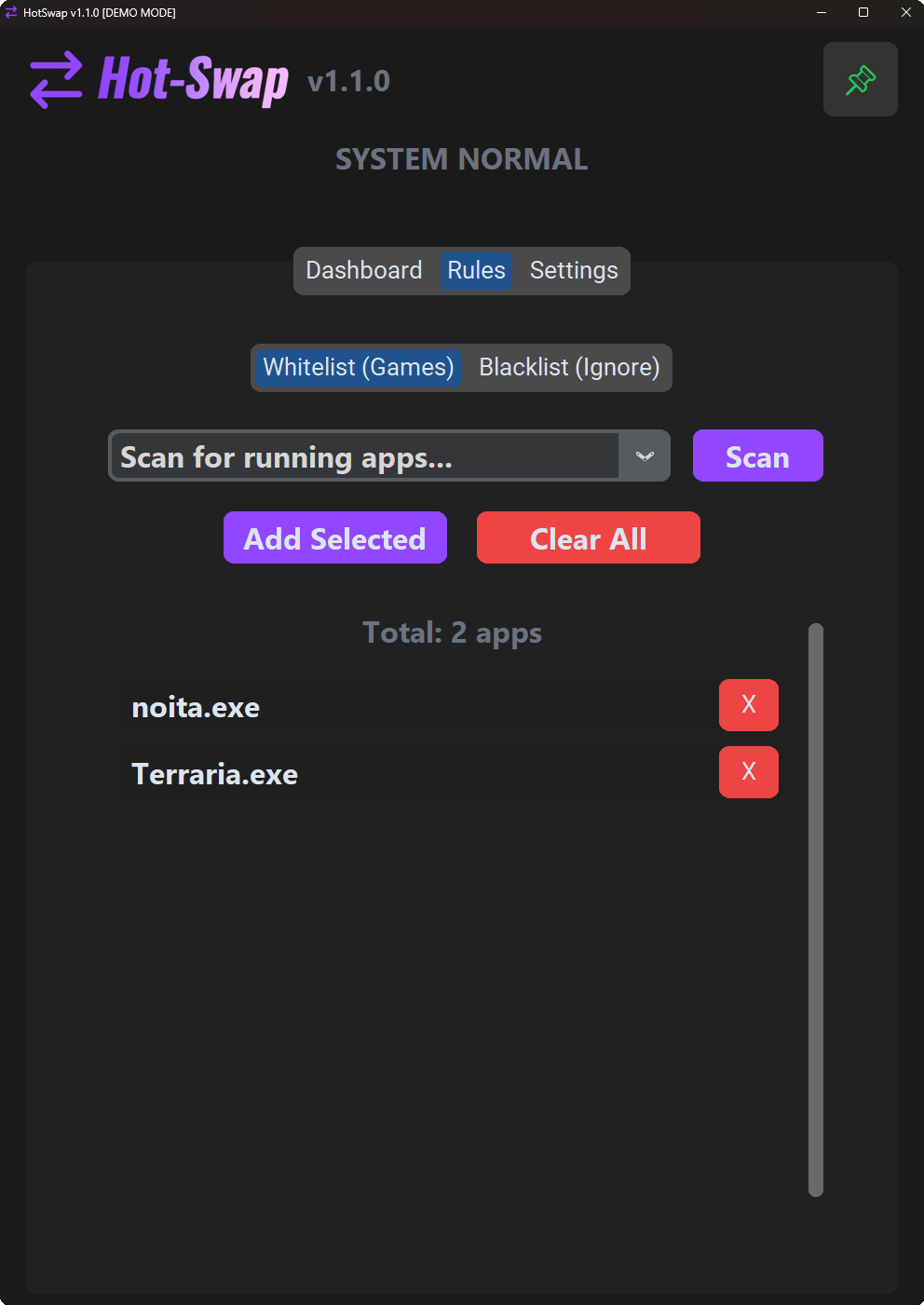
For competitive gamers, there's Anti-Cheat Safe Mode to turn off auto-detection entirely — just add games manually via a quick scan of running apps. And if you juggle OBS scene collections, HotSwap remembers your source picks for each one. No more re-configuring after switching profiles.
In short: It's like having a co-pilot for OBS that anticipates your moves, fixes common headaches, and lets you focus on the game (or the chat).
Features
- One-tap game adding (default: F9)
- Automatic video + audio source switching
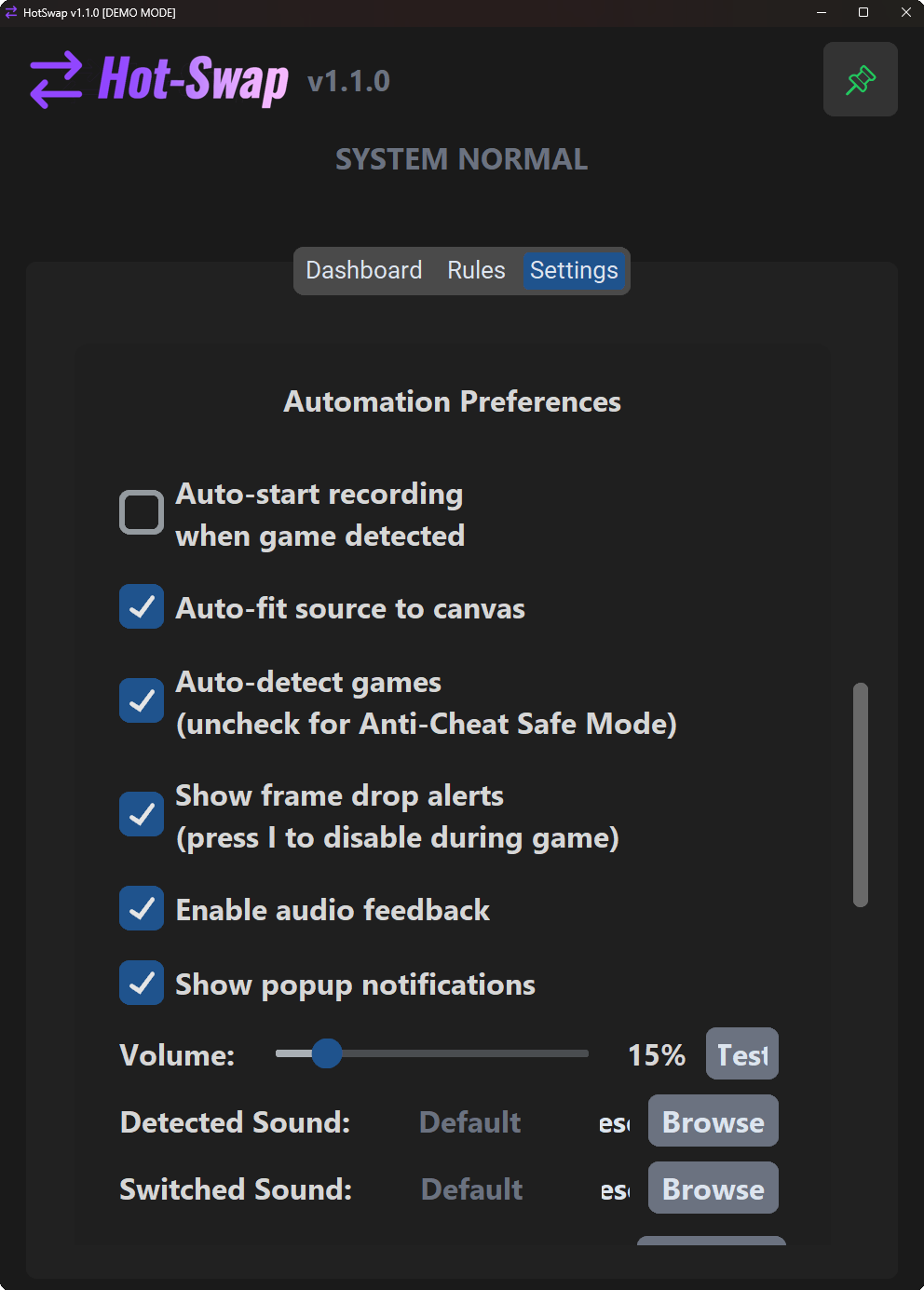
- Audio feedback sounds (detection + successful switch) — very useful on single-monitor setups
- On-screen frame drop warnings when OBS is struggling
- Aspect ratio mismatch alerts (black bars warning)
- Optional auto-start recording when a game is detected
- Auto-fit source to canvas (keeps things pixel-perfect)
- Anti-Cheat Safe Mode — turn off auto-detection for Valorant/Faceit/etc. games
- Remembers video/audio source choices per OBS scene collection
- Remaining recording time estimate (disk space aware)
- Secret Dev Mode that i used for recording (demo mode) shift + L + D
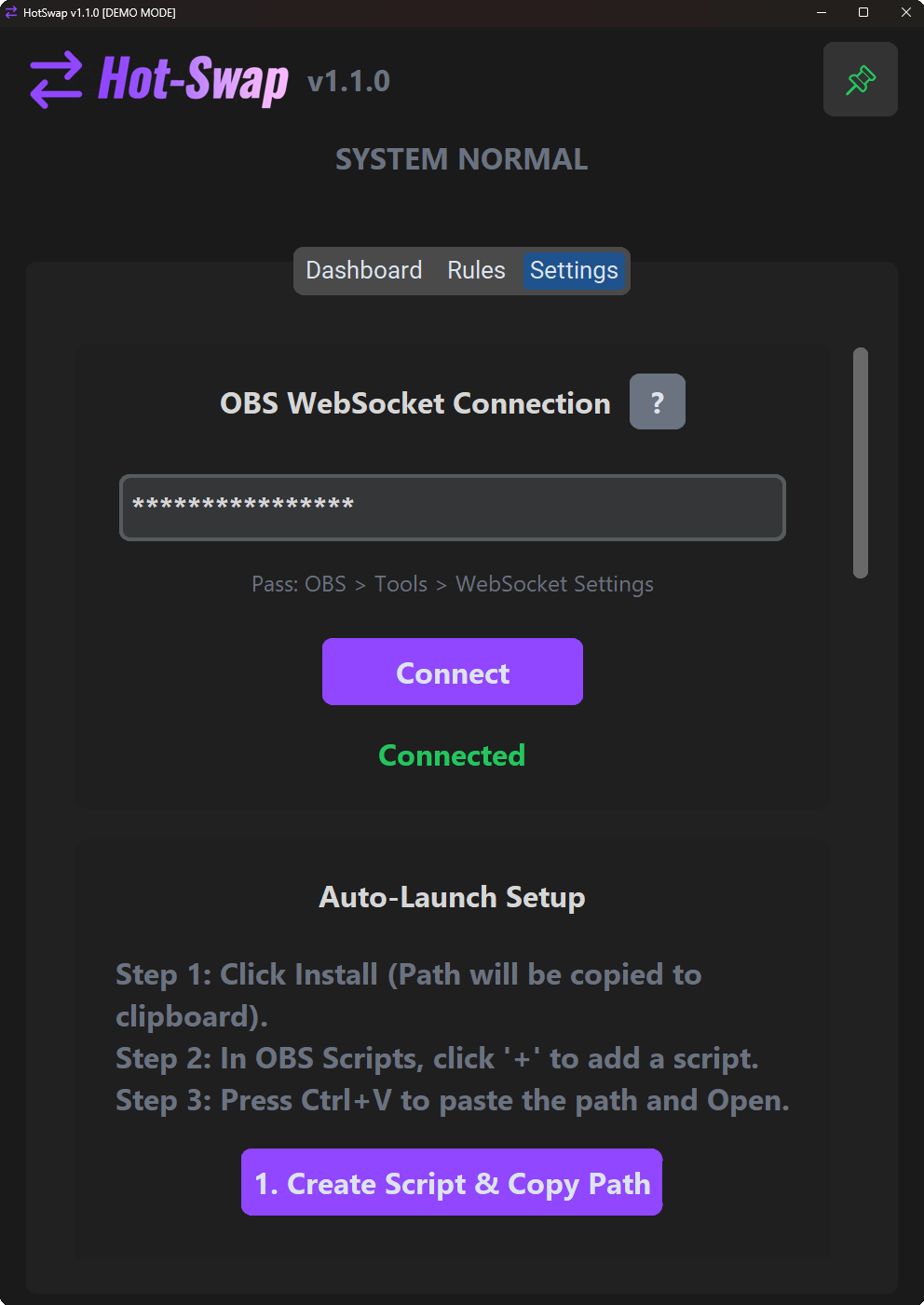
- Optional auto-launch with OBS (one-click script install)
- Fully customizable hotkeys (F9 / F10 / ignore key)
- Custom .wav files for the “ding” sounds
- Clean, dark UI with pinning + always-on-top option
- Whitelist + blacklist (full control over tracked apps)
Developed with AI assistance for rapid coding and debugging. Manually tested and verified for performance.
Requirements
- Windows 10 / 11
- OBS Studio (28.0+ recommended) with WebSocket enabled
- Game Capture or Window Capture already present in your scene
Privacy
- No internet connection ever
- No keystroke logging
- No telemetry
- Only talks to OBS on localhost
- Source code is public (link in files / GitHub)
Is it Safe? (FAQ)
Will I get banned in competitive games? HotSwap is designed to be safe. It never injects code into games, never simulates input, and never reads game memory. It simply checks if you are holding down movement keys (using standard Windows APIs) to know you are gaming. Still worried? Enable "Anti-Cheat Safe Mode" in Settings. This turns off auto-detection entirely; you can still add games manually via the list.
Does HotSwap log my keystrokes? No. It only checks if specific keys (WASD by default) are currently being held down. It does not record typing, passwords, or chat. The app connects only to your local OBS instance and never accesses the internet.
Why does OBS flicker when switching games? HotSwap briefly disables and re-enables the capture source when switching games. This forces OBS to strictly "un-hook" the old game and "re-hook" the new one. Without this, OBS can sometimes freeze or take 10+ seconds to switch. The flicker is a necessary speed optimization.
Download
Click download now to get access to the following files:
Development log
- launch day fixes and improvementsJan 31, 2026
Leave a comment
Log in with itch.io to leave a comment.